
Technique Analysis
Record or upload your shot and study it
Record or upload short videos of your shot and study your movement with 2D tracing.
On this screen
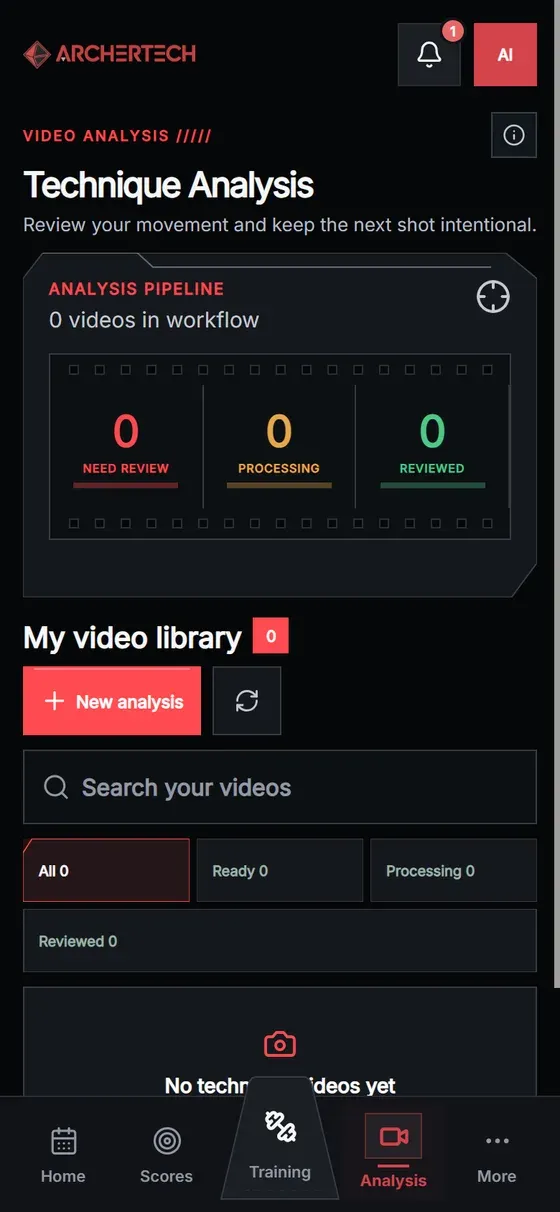
- Analysis pipelineCounts your clips as Need review, Processing and Reviewed; tap a count to filter.
- New analysisOpens the sheet to record or upload a clip, next to a refresh button.
- Search and filtersSearch your videos, then filter by All, Ready, Processing or Reviewed.
- My video libraryYour clips with their status; open one to study the shot and read coach notes.
- Clip viewerPlays the clip with Show 2D tracing, a SHOT CYCLE strip and your Athlete note.
Add a clip
- Tap New analysis.
- Tap Record video or Upload video (MP4, MOV or WebM, up to 30 MB; 10 to 20 seconds works best).
- In a club, choose whether to share it with your workspace; without a club it stays private.
Study your shot
- Show 2D tracing draws your body’s lines over the video.
- SHOT CYCLE marks the phases from stance to follow-through; Adjust phases corrects them.
- Step frame by frame, zoom in, and write your own note under Athlete note.
- Tracing, phases and drawing work in the web app; the phone app shows the video and notes.
Good to know
- In the web app, new clips stay on this device until you send them.
- Video actions lets you edit video details, download or delete a clip.
Record or upload short videos of your shot and study your movement with 2D tracing.
On this screen
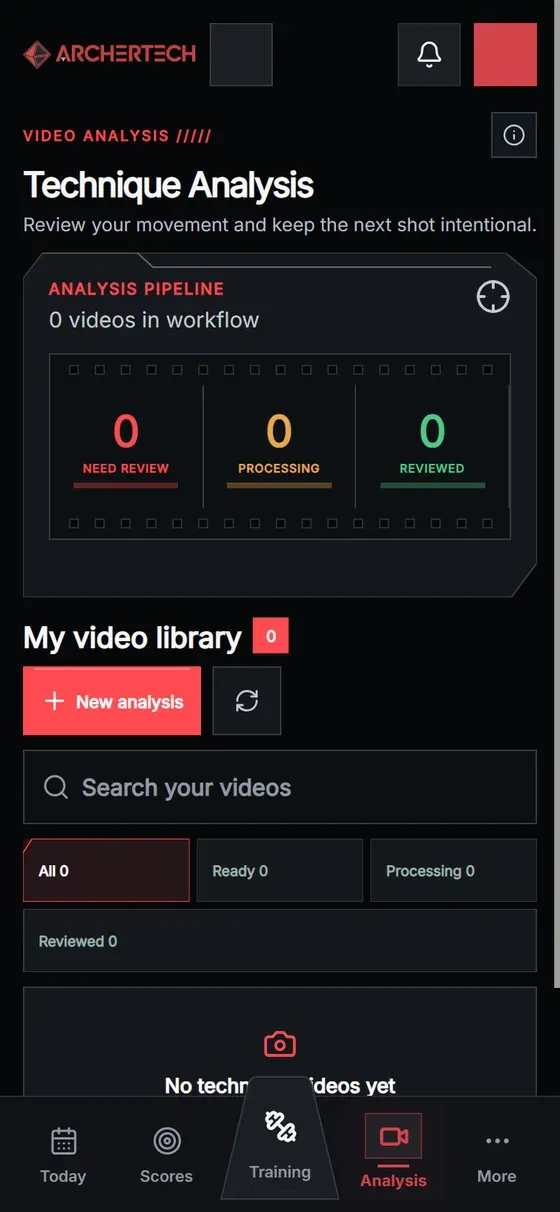
- Analysis pipelineCounts your clips as Need review, Processing and Reviewed; tap a count to filter.
- New analysisOpens the sheet to record or upload a clip, next to a refresh button.
- Search and filtersSearch your videos, then filter by All, Ready, Processing or Reviewed.
- My video libraryYour clips with their status; open one to study the shot and read coach notes.
- Clip viewerPlays the clip with Show 2D tracing, a SHOT CYCLE strip and your Athlete note.
Add a clip
- Tap New analysis.
- Tap Record video or Upload video (MP4, MOV or WebM, up to 30 MB; 10 to 20 seconds works best).
- In a club, choose whether to share it with your workspace; without a club it stays private.
Study your shot
- Show 2D tracing draws your body’s lines over the video.
- SHOT CYCLE marks the phases from stance to follow-through; Adjust phases corrects them.
- Step frame by frame, zoom in, and write your own note under Athlete note.
- Tracing, phases and drawing work in the web app; the phone app shows the video and notes.
Get your coach’s review
- Share the clip with your workspace, or open Video actions and tap Send video to coach.
- Your coach’s notes appear on the clip and in Coach Feedback.
- If your coach asks for a new clip, tap Record follow-up clip.
Good to know
- In the web app, new clips stay on this device until you send them.
- Video actions lets you edit video details, download or delete a clip.
The team’s technique videos, with coach notes and follow-up clips.
On this screen
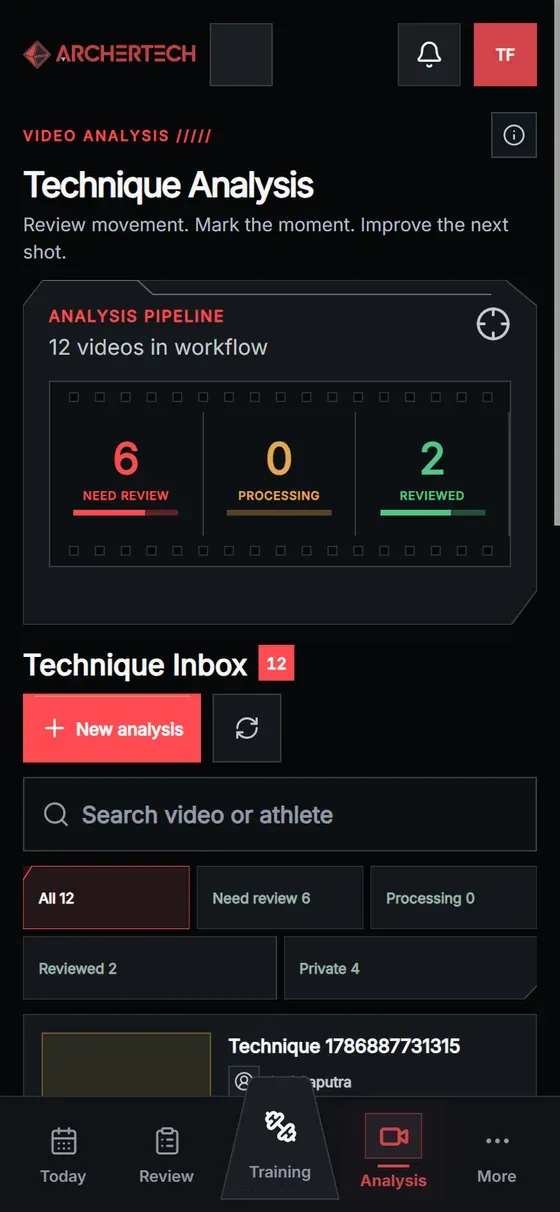
- Analysis pipelineCounts team clips as Need review, Processing and Reviewed, with Review next.
- New analysisCoaches tap it to record or upload a clip and link it to an athlete.
- Search and filtersSearch by video or athlete, then filter by status, including Private clips.
- Technique InboxThe team’s clips with athlete and status; open one to review it.
- Clip reviewPlays the clip with tracing, shot phases, drawing tools and your Coach analysis.
Add a clip
- Tap New analysis.
- Choose Link to athlete and pick the athlete, or keep it Coach private.
- Tap Record video or Upload video.
Review a clip
- Open a clip from Technique Inbox; Need review shows what is waiting.
- Use 2D tracing, the shot phases and the drawing tools (line, circle, angle, text).
- Write your coach analysis and choose an outcome: Reviewed, Athlete action or Re-record.
- Save. Athlete action and Re-record need a coach note, and the athlete can then record a follow-up clip.
Good to know
- Tracing, phases and drawing work in the web app.
- Generate technique analysis gives a rule-based summary of phase timing; it doesn’t diagnose injury.
- A clip stored on another device shows Ask for the video.
The team’s technique videos, with coach notes and follow-up clips.
On this screen
- Analysis pipelineCounts team clips as Need review, Processing and Reviewed, with Review next.
- New analysisCoaches tap it to record or upload a clip and link it to an athlete.
- Search and filtersSearch by video or athlete, then filter by status, including Private clips.
- Technique InboxThe team’s clips with athlete and status; open one to review it.
- Clip reviewPlays the clip with tracing, shot phases, drawing tools and your Coach analysis.
Good to know
- Tracing, phases and drawing work in the web app.
- Generate technique analysis gives a rule-based summary of phase timing; it doesn’t diagnose injury.
- A clip stored on another device shows Ask for the video.
What a manager can’t do here
- Managers can browse the inbox and open clips, but can’t add clips, write notes or set outcomes.