
Settings
Language, notifications and sign out
Language, appearance, notifications and your session.
On this screen
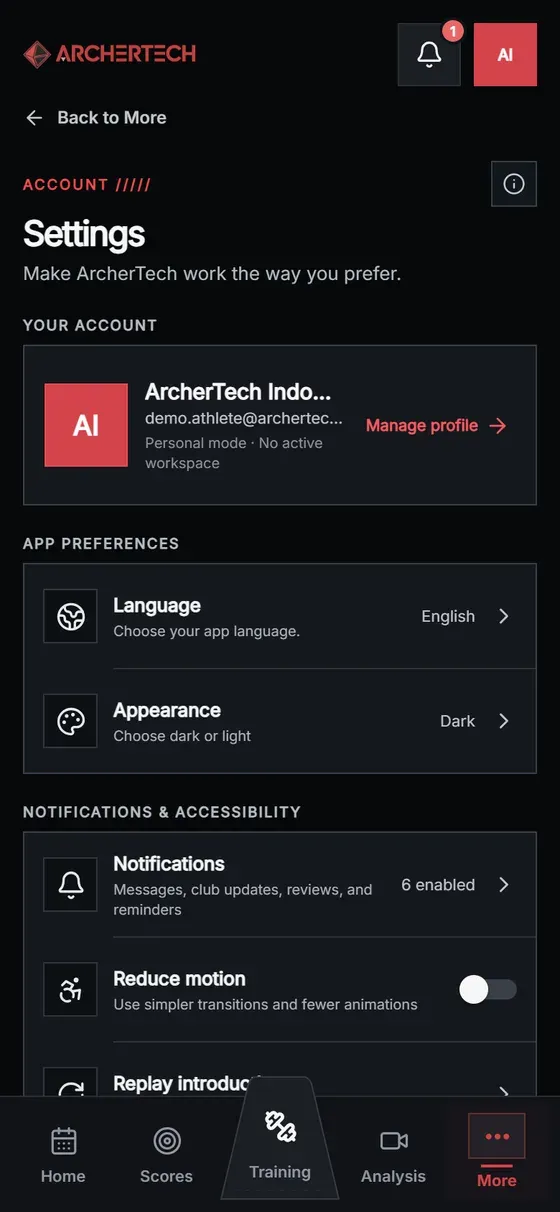
- Your accountYOUR ACCOUNT shows your name, email and mode, with Manage profile.
- App preferencesLanguage and Appearance each open a small choice row.
- NotificationsNotifications expands to device permission and switches for messages, club updates, reviews, health and reminders.
- Motion and guideA Reduce motion switch and Replay introduction for the three-step guide.
- Sign outSign out sits under SESSION; unsent scorecards stay on this device.
Make the app yours
- Language: English, Arabic or Bahasa Indonesia.
- Appearance: dark or light.
- Reduce motion uses simpler transitions.
- Manage profile opens your profile.
Turn on notifications
- Open Notifications and, when your device supports it, tap Enable device notifications.
- Choose what you want: messages, club updates, reviews & requests, health alerts, the morning health reminder and the evening training reminder.
Sign out
- Tap Sign out.
- If scorecards haven’t been sent yet, the app asks you to confirm. They stay on this device.
Language, appearance, notifications and your session.
On this screen
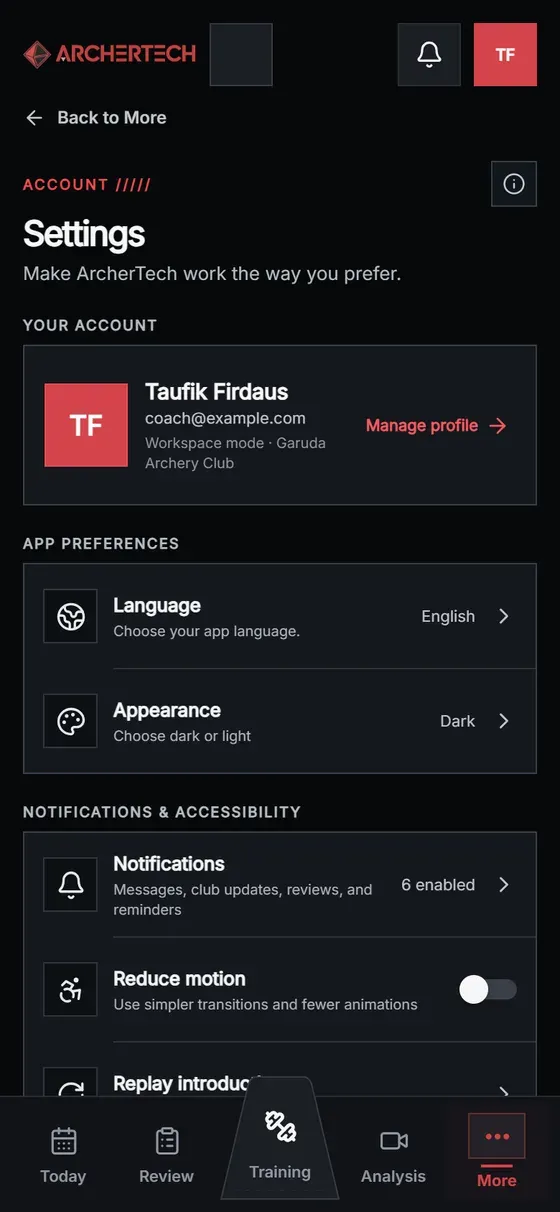
- Your accountYOUR ACCOUNT shows your name, email and mode, with Manage profile.
- App preferencesLanguage and Appearance each open a small choice row.
- NotificationsNotifications expands to device permission and switches for messages, club updates, reviews, health and reminders.
- Motion and guideA Reduce motion switch and Replay introduction for the three-step guide.
- Sign outSign out sits under SESSION; unsent scorecards stay on this device.
Make the app yours
- Language: English, Arabic or Bahasa Indonesia.
- Appearance: dark or light.
- Reduce motion uses simpler transitions.
- Manage profile opens your profile.
Turn on notifications
- Open Notifications and, when your device supports it, tap Enable device notifications.
- Choose what you want: messages, club updates, reviews & requests, health alerts, the morning health reminder and the evening training reminder.
Sign out
- Tap Sign out.
- If scorecards haven’t been sent yet, the app asks you to confirm. They stay on this device.
Language, appearance, notifications and your session.
On this screen
- Your accountYOUR ACCOUNT shows your name, email and mode, with Manage profile.
- App preferencesLanguage and Appearance each open a small choice row.
- NotificationsNotifications expands to device permission and switches for messages, club updates, reviews, health and reminders.
- Motion and guideA Reduce motion switch and Replay introduction for the three-step guide.
- Sign outSign out sits under SESSION; unsent scorecards stay on this device.
Make the app yours
- Language: English, Arabic or Bahasa Indonesia.
- Appearance: dark or light.
- Reduce motion uses simpler transitions.
- Manage profile opens your profile.
Turn on notifications
- Open Notifications and, when your device supports it, tap Enable device notifications.
- Choose what you want: messages, club updates, reviews & requests, health alerts, the morning health reminder and the evening training reminder.
Sign out
- Tap Sign out.
- If scorecards haven’t been sent yet, the app asks you to confirm. They stay on this device.