
Session Log
Plan against actual, notes and attendance
A record of each club session: plan against actual, notes and attendance.
On this screen
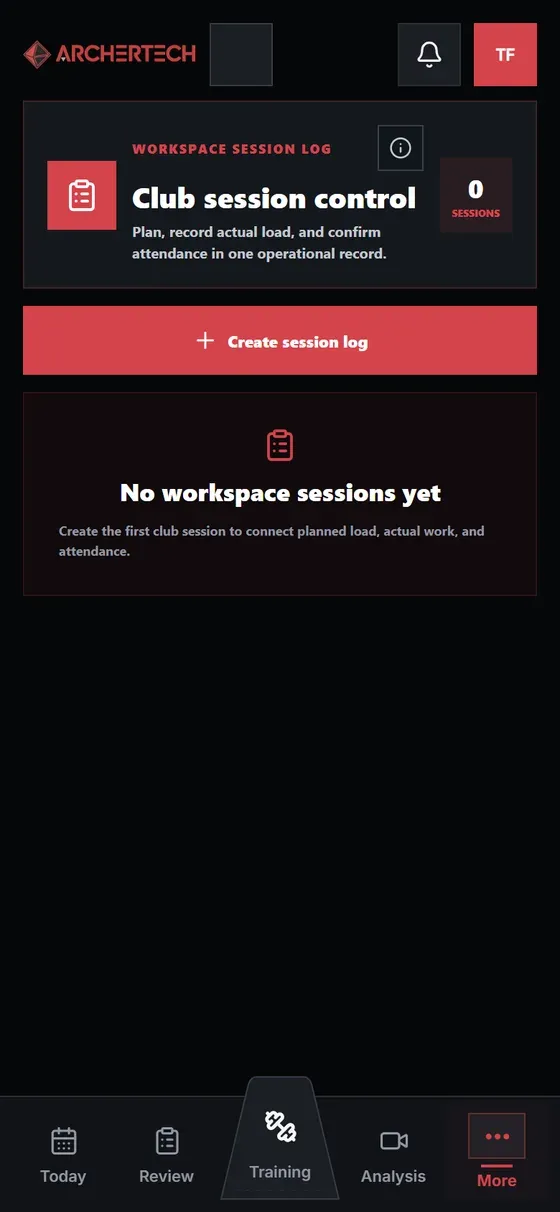
- Club session controlA heading card that shows how many sessions are logged.
- Create session logTap Create session log to record a new club session.
- Logged sessionsEach row shows date, type and status, plus ARROWS, MIN and PRESENT as actual over planned.
- Session detailsTitle, date, start time, audience, focus, type and status, then PLANNED VS ACTUAL numbers and notes.
- AttendanceUnder ATTENDANCE, tick athletes and mark them Present, Partial, Excused or Absent.
Log a session
- Tap Create session log, or tap a session to edit it.
- Fill in the title, date, start time, audience and focus; pick the session type and status.
- Enter the planned and actual arrows, minutes and RPE.
- Add the coach note and manager note.
- Under ATTENDANCE, tick athletes and mark them Present, Partial, Excused or Absent.
- Tap Save session.
Good to know
- To remove a session, tap Delete, then Confirm delete.
A record of each club session: plan against actual, notes and attendance.
On this screen
- Club session controlA heading card that shows how many sessions are logged.
- Create session logTap Create session log to record a new club session.
- Logged sessionsEach row shows date, type and status, plus ARROWS, MIN and PRESENT as actual over planned.
- Session detailsTitle, date, start time, audience, focus, type and status, then PLANNED VS ACTUAL numbers and notes.
- AttendanceUnder ATTENDANCE, tick athletes and mark them Present, Partial, Excused or Absent.
Log a session
- Tap Create session log, or tap a session to edit it.
- Fill in the title, date, start time, audience and focus; pick the session type and status.
- Enter the planned and actual arrows, minutes and RPE.
- Add the coach note and manager note.
- Under ATTENDANCE, tick athletes and mark them Present, Partial, Excused or Absent.
- Tap Save session.
Good to know
- To remove a session, tap Delete, then Confirm delete.