
Comparison
Athlete versus opponent, before the match
Compare an athlete’s competition scorecard with an opponent’s and project match readiness.
On this screen
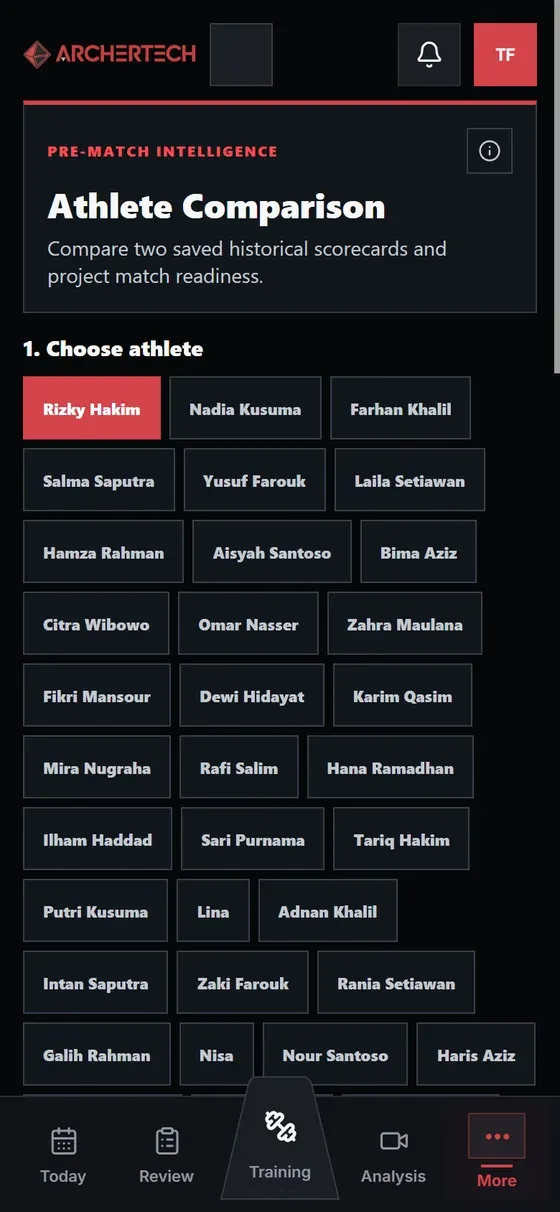
- Athlete ComparisonA PRE-MATCH INTELLIGENCE header introduces comparing two saved scorecards.
- Athlete and scorecardChoose an athlete, then one of their competition scorecards.
- Opponent scorecardPick a saved opponent, or tap + Add opponent to enter name, label and totals.
- Projected winShows the PROJECTED WIN chance and a round-by-round comparison chart.
- Coach comparison noteWrite a note and tap Save analysis to keep it under saved analyses.
Compare before a match
- Choose the athlete.
- Pick one of their competition scorecards.
- Pick an opponent scorecard, or tap + Add opponent, enter the name, label, bow type and round totals, and tap Save opponent scorecard.
- Read the projected win percentage and the round-by-round chart.
- Add a coach comparison note and tap Save analysis.
Good to know
- Only competition scorecards appear; record one in Scores first.
- The projection is a simple estimate, not an official prediction.
Compare an athlete’s competition scorecard with an opponent’s and project match readiness.
On this screen
- Athlete ComparisonA PRE-MATCH INTELLIGENCE header introduces comparing two saved scorecards.
- Athlete and scorecardChoose an athlete, then one of their competition scorecards.
- Opponent scorecardPick a saved opponent, or tap + Add opponent to enter name, label and totals.
- Projected winShows the PROJECTED WIN chance and a round-by-round comparison chart.
- Coach comparison noteWrite a note and tap Save analysis to keep it under saved analyses.
Compare before a match
- Choose the athlete.
- Pick one of their competition scorecards.
- Pick an opponent scorecard, or tap + Add opponent, enter the name, label, bow type and round totals, and tap Save opponent scorecard.
- Read the projected win percentage and the round-by-round chart.
- Add a coach comparison note and tap Save analysis.
Good to know
- Only competition scorecards appear; record one in Scores first.
- The projection is a simple estimate, not an official prediction.