
Club Performance
Your scores in coach-made tables
Your published scores inside the tables your coaches set up.
On this screen
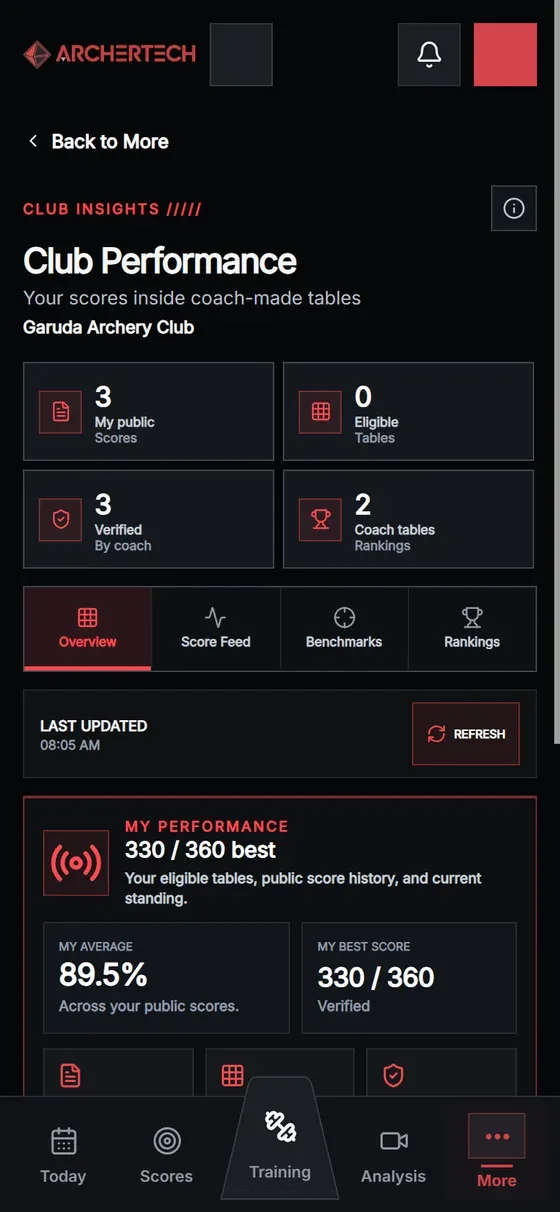
- Club Performance headerNames your club and says Your scores inside coach-made tables.
- Your stat boxesCounts My public scores, Eligible tables, Verified scores and Coach tables.
- Four tabsOverview, Score Feed, Benchmarks and Rankings split the screen.
- Score FeedChoose a score table, switch My scores on, and open a score for detail.
- RankingsRanks athletes by their best public score in the table you pick.
Find your scores
- Only scorecards published to the club appear here.
- Score Feed shows the tables that match your profile; My scores narrows it to yours.
- Benchmarks and Rankings show the club’s standards.
Add a score
- Open the scorecard in Scores and tap Publish score.
Club scores and comparable standards: what’s public, what’s verified and who needs a look.
On this screen
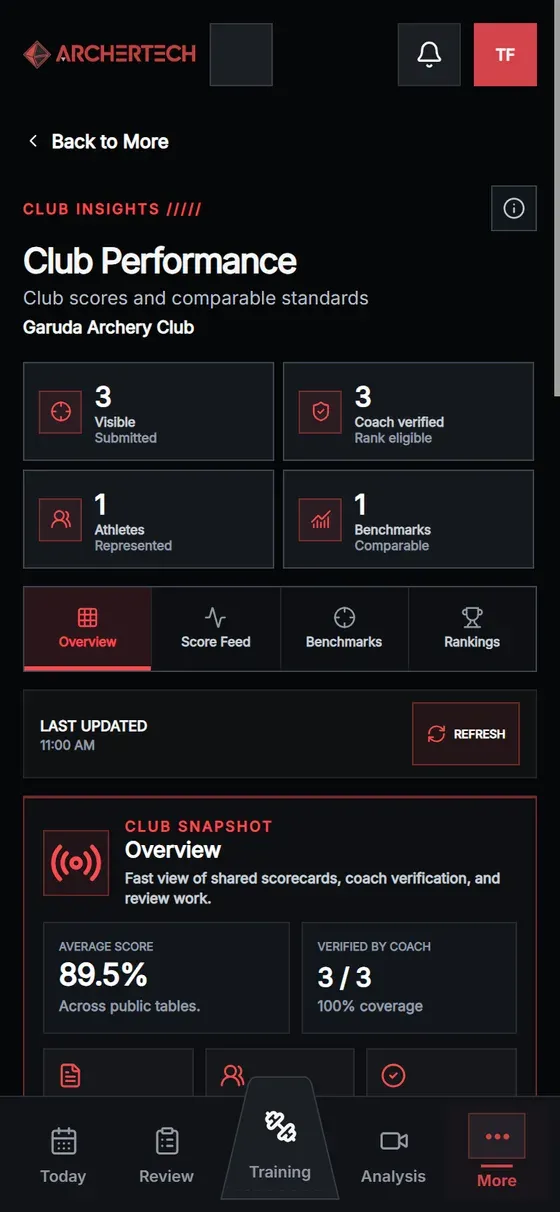
- Club Performance headerNames the workspace and says Club scores and comparable standards.
- Club stat boxesCounts Visible scores, Coach verified, Athletes and Benchmarks.
- Four tabsOverview, Score Feed, Benchmarks and Rankings split the screen.
- Needs attentionScores waiting for review; open one to tap Verify score.
- Add tableCoaches tap Add table to create a score table for an athlete profile.
Verify scores
- Open Score Feed and filter Need Review.
- Tap a score, then Verify score. Request review flags it again.
- From a score, Open health and Open training take you to that athlete’s Health Center and Training.
Add a score table
- Tap Add table.
- Choose the athlete profile: group, age, gender and bow type.
- Set the round (distance, target, arrows per end and ends), or pick a preset.
- Tap Save table.
Good to know
- Only published scorecards count.
- Coach watchlist keeps the athletes you follow, on this device.
Club scores and comparable standards: what’s public, what’s verified and who needs a look.
On this screen
- Club Performance headerNames the workspace and says Club scores and comparable standards.
- Club stat boxesCounts Visible scores, Coach verified, Athletes and Benchmarks.
- Four tabsOverview, Score Feed, Benchmarks and Rankings split the screen.
- Needs attentionScores waiting for review; open one to tap Verify score.
- Add tableCoaches tap Add table to create a score table for an athlete profile.
Verify scores
- Open Score Feed and filter Need Review.
- Tap a score, then Verify score. Request review flags it again.
- From a score, Open health and Open training take you to that athlete’s Health Center and Training.
Add a score table
- Tap Add table.
- Choose the athlete profile: group, age, gender and bow type.
- Set the round (distance, target, arrows per end and ends), or pick a preset.
- Tap Save table.
Good to know
- Only published scorecards count.
- Coach watchlist keeps the athletes you follow, on this device.